




| I love
books and I love to read. I think my earliest memory about books is my grandma
reading me The Poky Little Puppy, over and over again. I remember my first
visit to the 'big-kids' section of the elementary school library and the teacher
who introduced me to Mrs. Piggle-Wiggle. And I'll always remember the year
my Easter basket included the Little House box set. Growing up, I kept a flashlight in my room and could often be found under the covers, reading long past bedtime. Far too often I still stay up late into the night with a book, but fortunately, I don't have to be sneaky about it anymore. And like many readers (and those who try to promote reading) I've been in a number of different book clubs over the years. This summer my current group has had a rough time getting together but with the vacations, job changes, military service and weddings behind us (for now anyway) we have been finalizing our schedule and reading selections for the rest of the year. |  | ||||||
|
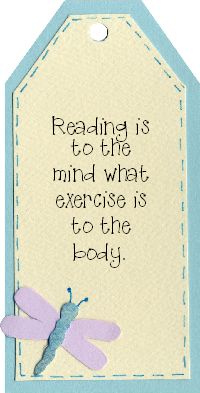
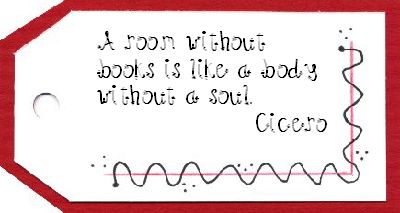
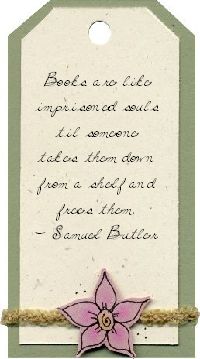
These are a fun, quick project and can be completely personalized. Make inspiring and creative bookmarks for students starting the new school year. Giving a book as a gift? Select a favorite quote (from the book or elsewhere) and make a personalized bookmark to tuck inside. Make a personal bookmark to send along with a book you are loaning to a friend. There are lots of great possibilities! Remember to send us samples of all
the creative ways you are using Lettering Delights products for the monthly Inspirations
contest. Click
here for all of the contest details and information on submitting your work.
| |||||||
The pre-order period for the The Essential Jillustration Collection Vol 1 end August 22. The pre-order bonus for the fun ScrapWorks AlphaDotz stickers will expire at that time. Don't delay ... get your order in today! | |||||||
The following alphabets and fonts are now available for individual purchase on LetteringDelights.com: | |||||||
We
have recently added several new fillable
alphabets to our database. These alphabets only work inside the CK image browser
(not the LD Supreme image browser). Please send an email to support
if you need help with the CK browser. | |||||||
So
come on over to Http://www.LetteringDelights.com
and be sure to bring along a friend! | |||||||








©1999 - 2004 Inspire Graphics,
Inc.
PO Box 935
Pleasant Grove, UT 84062