| |
|
Each
month in the Creative Corner we will give you some instructions for creative ways
to use Lettering Delights products for both everyday and specials occasions. This
month I was given the assignment to send cards to the volunteers at a local charity,
who are celebrating a birthday. I needed about 15 cards, and using the Lettering
Delights browser and products, I found a perfect (and quick) solution. I sent
birthday postcards and it only took minutes to make all 15! Postcards are
a great way to send an immediate message. When cards arrive in the mail, there's
the message -- no envelope to open. Lettering Delights alphabets, fonts and Journaling
Delights can be used to make quick, easy and beautiful postcards for any occasion. |  |

Michelle@LetteringDelights.com
P.S. Give free fonts to your friends! New Lettering Delights
newsletter subscribers receive seven fun and creative Lettering Delights
fonts. Encourage your friends to sign up today! |
| | | 
Here's
how you get started: Open your browser and
select Journaling Delights. Find the theme you need and pick a journaling box.
(Select a journaling box that has the same rectangular shape as a postcard; it
will work best when the image is resized later.) Select
a font, add the text for your note, and then add the image to the clipboard. If
a nice title would be appropriate, go to Alphabets and type the title you need,
choosing an alphabet design that matches well with the Journaling Delights set
you have selected. Once you have all the pieces
you need, move to the layout page and place the Journaling Delights image on the
page. Sizing the image is the next step and very
important to the mailing process. To qualify for the postcard postage rate, postcards
sent in the US must be between 3 ½" x 5" and 4 ¼"
x 6" and in Canada, postcards must be least 90mm x 140mm but not larger than
120mm x 235mm. Keep this in mind as you size your image. When you size the image,
be sure that the 'Constrained' box is checked for the width or height; this will
keep the image proportional as you adjust the opposite dimension. Now
add the Alphabet title you have created to the image and size it to fit the space
on your postcard. Print the layout on white (or
light colored) cardstock and give it a quick trim to the final size. Address the
reverse side; add appropriate postage and you are all set! In just a matter of
minutes you've got a great note that is ready to go in the mail.
If
you have several similar notes to send but want to personalize them quickly, the
Lettering Delights browser makes it easy. Once the finished postcard is on the
layout page, simply copy the first image you created, paste it on the layout page
and move it to an empty spot on your page. Double click on the text and make the
necessary changes. You can repeat this as many times as necessary for the number
of postcards you need. The postcards worked well for me this month. I fulfilled
my responsibility in a timely manner; the volunteers received a beautiful card
and sending postcards even saved us a little money on the postage. I'm sure you
will be able to come up with lots of creative ways to use and send postcards.
Send us samples of your creativity for the monthly Inspirations
contest.
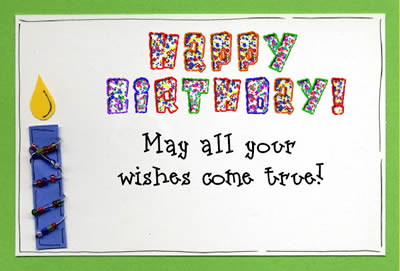
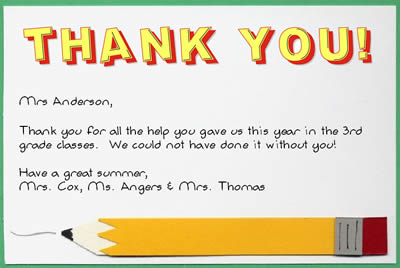
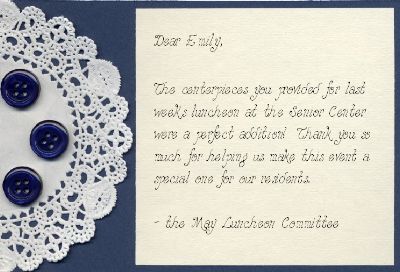
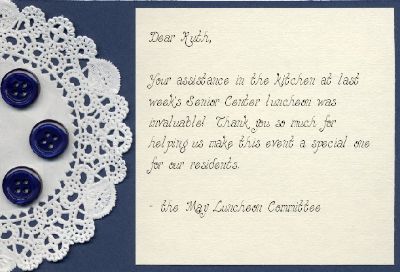
Here are some samples. All items used were from the Lettering
Delights Supreme 3 CD:
| |
| We've added more of the fun
alphabets to the Little Lettering Delights CD preview. This first CD will have
a Seasons theme. The newest package from Lettering Delights, Little Lettering
Delights, contains 40 original alphabets that you will love! Little Lettering
Delights is only $19.95 - that's just 50 cents an alphabet!! Little Lettering
Delights will be available in June but pre-orders are being accepted now. Place
your order today and not | | | | |
| |